How to Use Madden Tools

How to Use Madden Tools - Complete Guide

Madden Tools is the ultimate companion for Madden NFL fantasy drafts, providing comprehensive draft data, player analytics, and strategic insights to help you build championship teams. This comprehensive guide will walk you through every feature and show you how to maximize your draft success.

Whether you're a seasoned Madden veteran or new to fantasy drafts, this guide will help you master the platform and gain a competitive edge. For advanced strategies, check out our Draft Genius tool and explore our comprehensive guides for expert insights.

Getting Started with Madden Tools

Madden Tools is designed to give you complete visibility into your fantasy draft. The platform tracks where every player gets drafted, provides detailed analytics, and offers strategic recommendations to help you make informed decisions.

Key Benefits:

  • Comprehensive draft data and player availability tracking
  • Comprehensive player analytics and ratings
  • Watchlist management for tracking potential picks
  • Strategic recommendations and insights
  • Integration with Madden NFL franchise mode
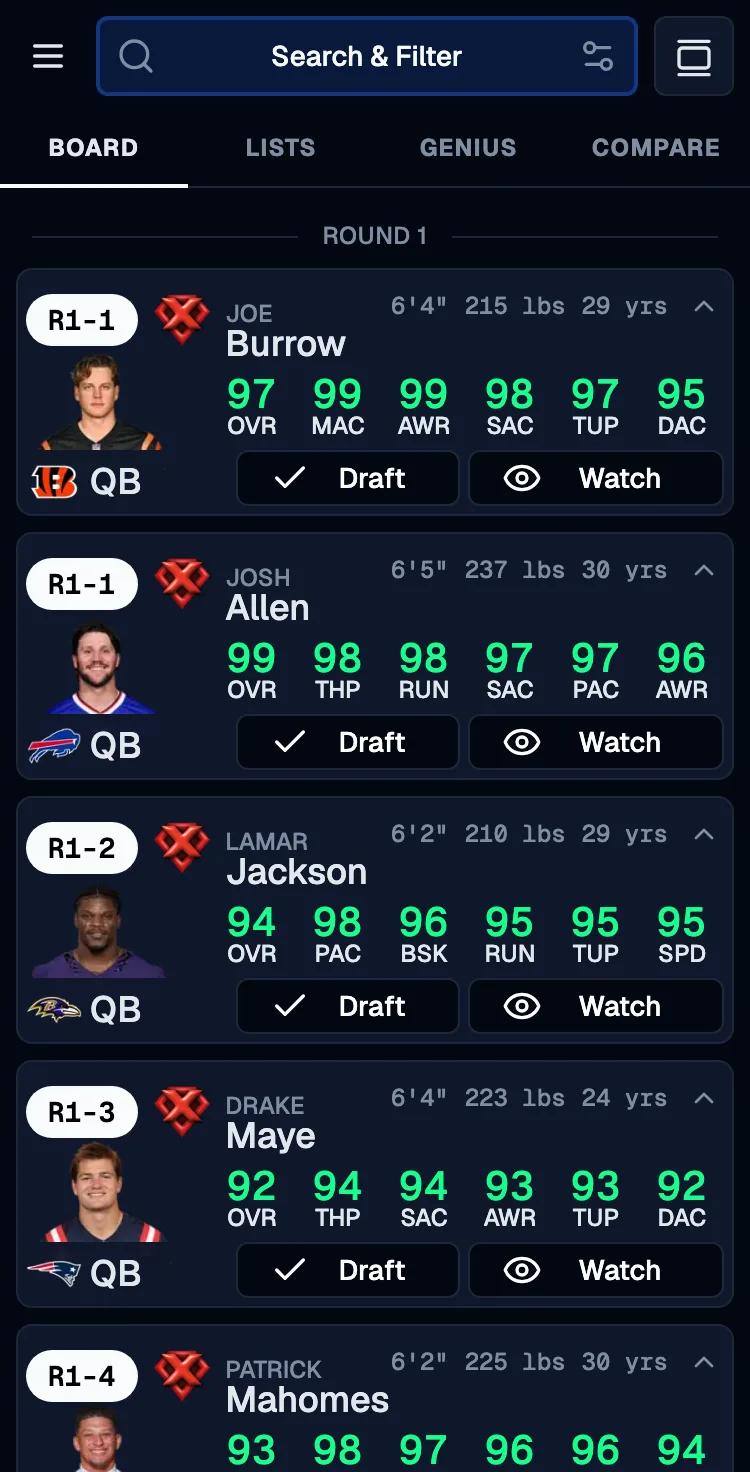
Madden Tools Dashboard showing draft board, player cards, and watchlist interface

Understanding the Watch Button

The watch button is your primary tool for building a list of players you're interested in drafting. This feature allows you to track potential picks and stay organized during the draft process.

How to Use the Watch Button

  1. Browse Players: Navigate through the player draftboard using filters, search, or position categories
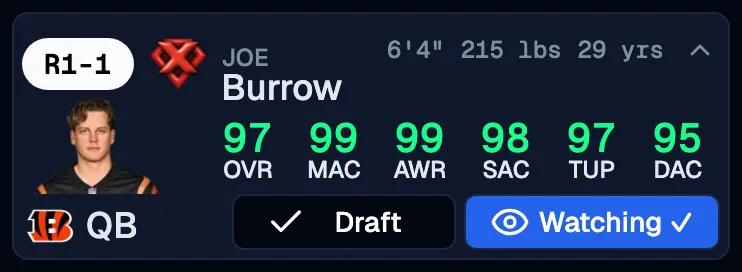
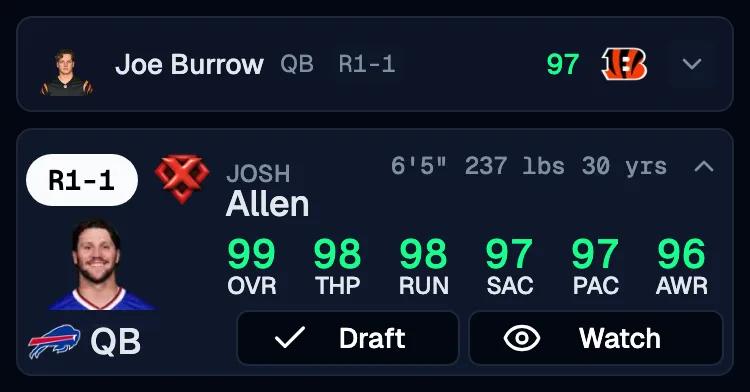
  2. Add to Watchlist: Click the watch button (👁️) on any player card to add them to your watchlist
    Player card showing watch button highlighted when adding to watchlist
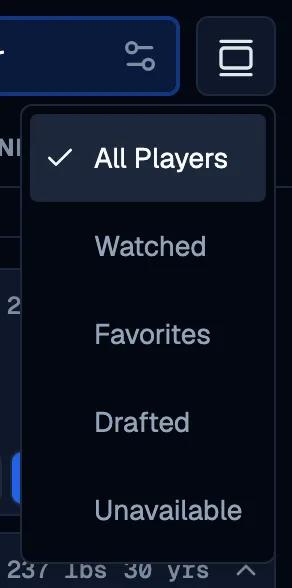
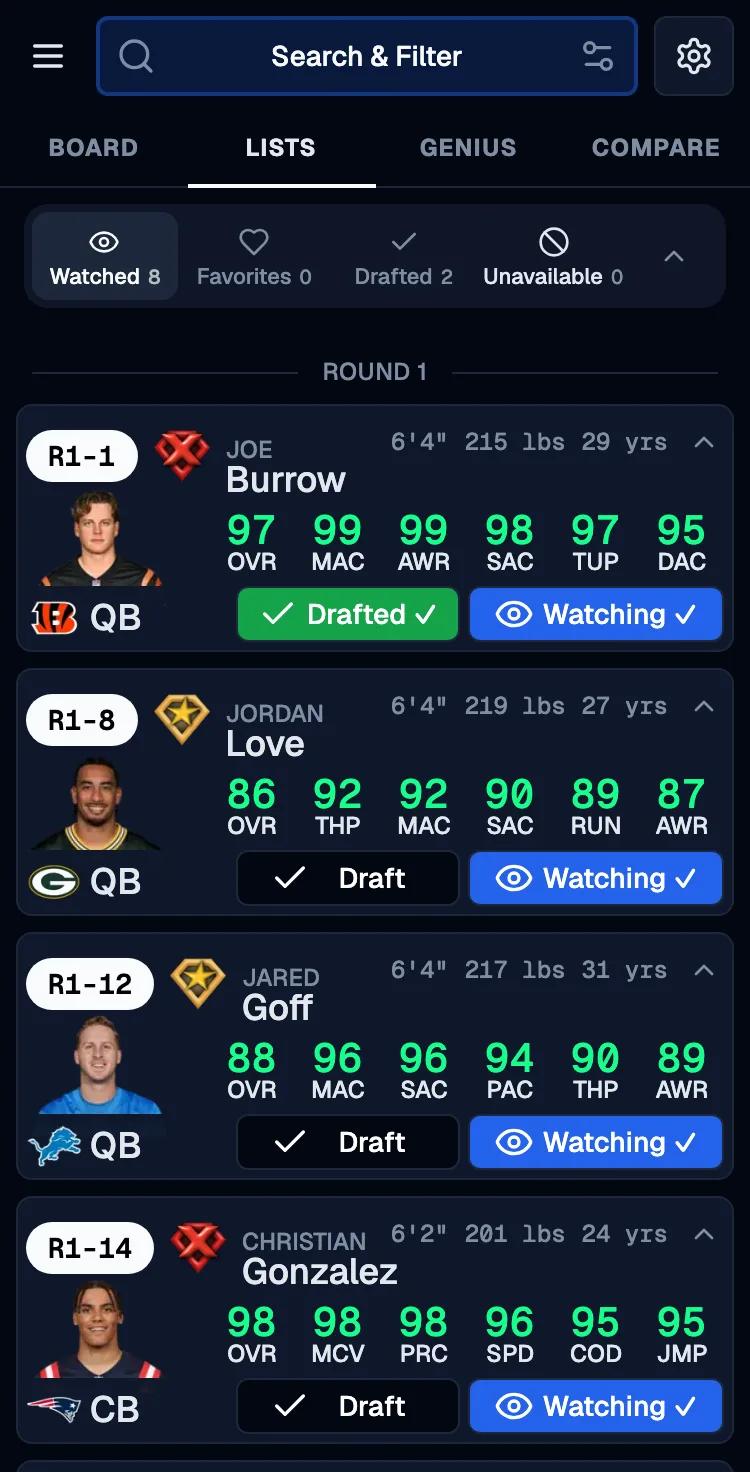
  3. Track Interest: Players you're watching will have a blue watchlist button and are easily accessible during the draft in their own watchlist page
    How to get to the watchlist page
  4. Remove if Needed: Click the watch button again to remove players from your watchlist

Using Analytics to Build Your Watchlist

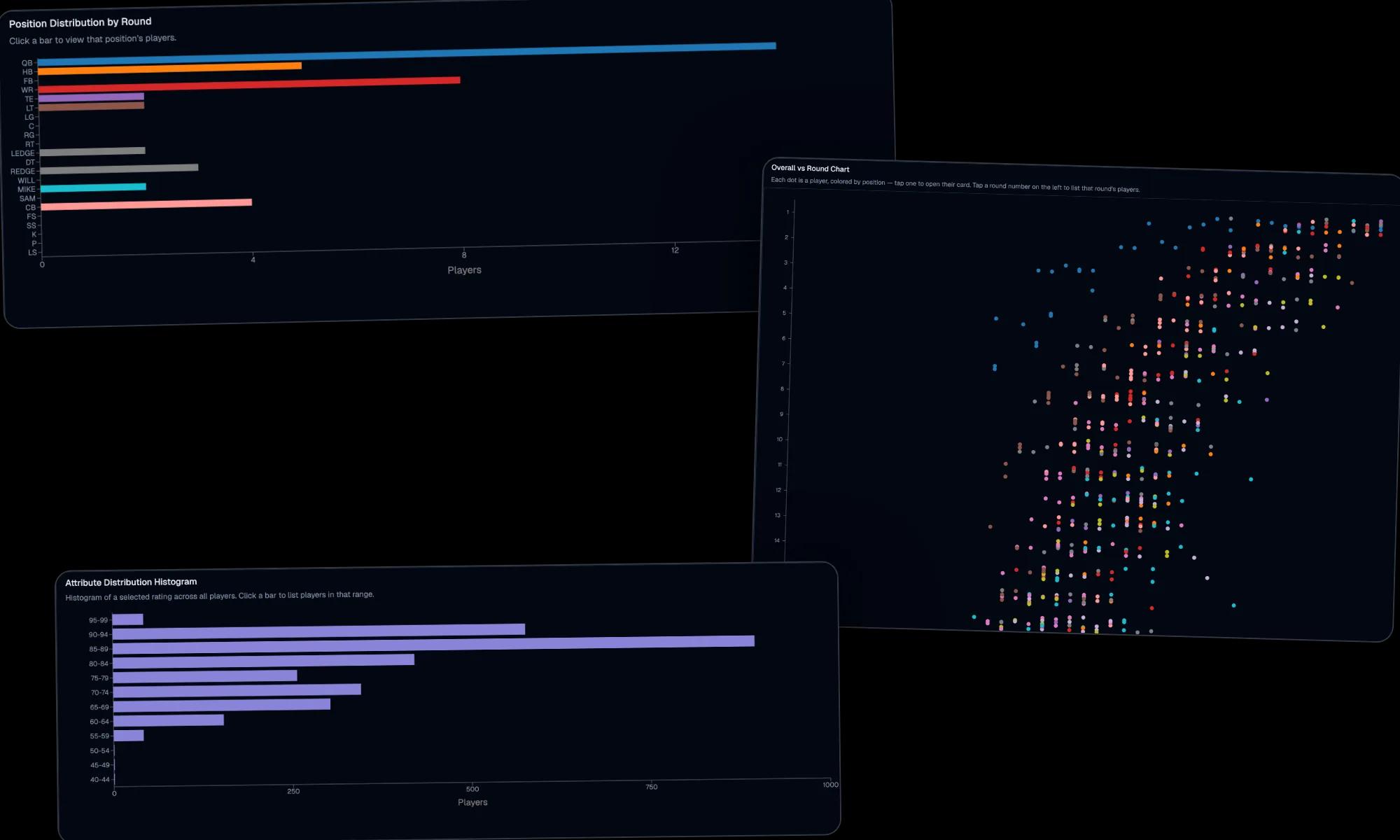
The analytics pages are invaluable for discovering players to add to your watchlist. Use these tools to identify hidden gems, understand position trends, and find players who match your draft strategy.

  • Player Trends: Discover undervalued players and rising prospects in the Big Movers section
  • Position Analysis: Use position distribution charts to see where players typically get drafted
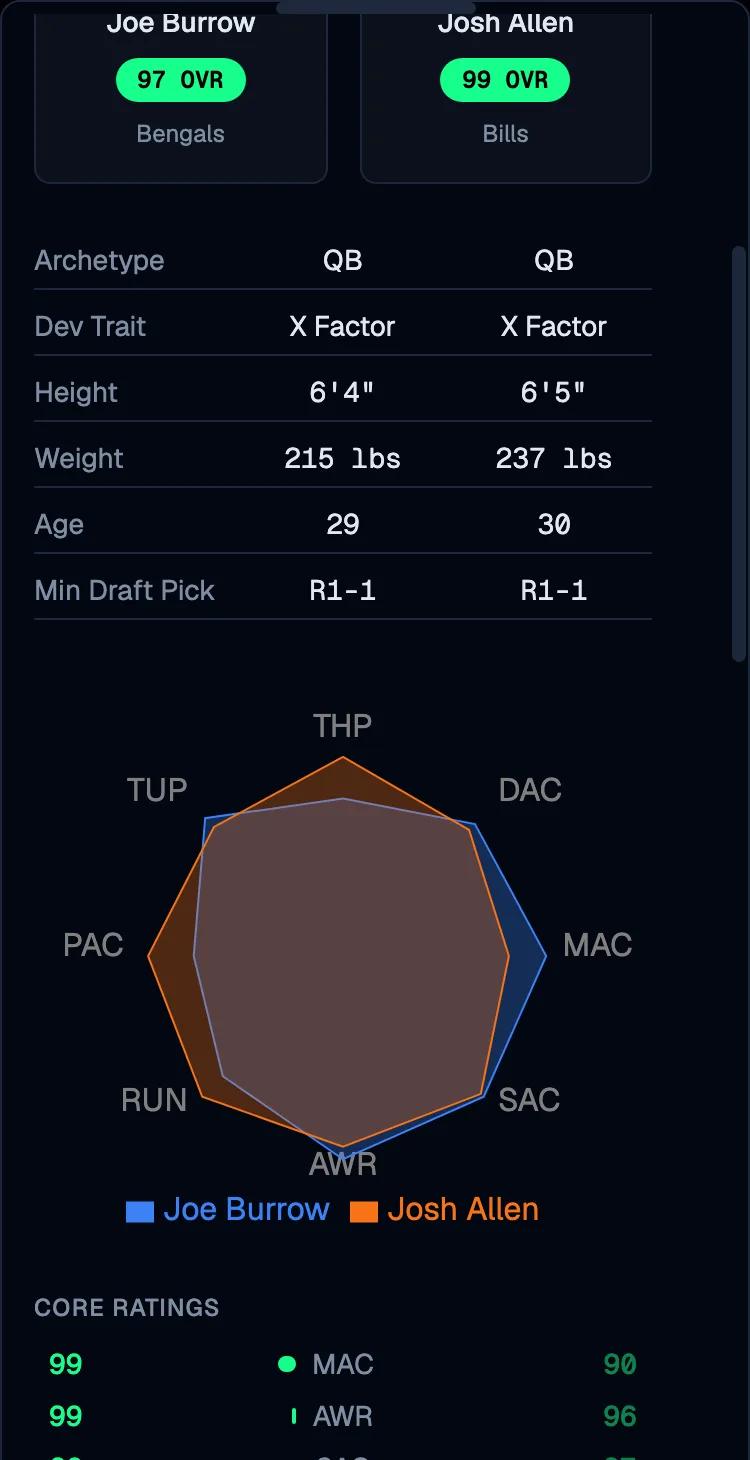
  • Attribute Insights: Find players with specific skill sets that match your team's needs. Visualize attribute deviation between prospects to see if an early‑round player truly offers meaningful upside over mid‑round alternatives
  • College Trends: Surface prospects from your favorite colleges and conferences/divisions to add personality and uniqueness to your draft strategy

Strategic Watchlist Tips

  • Diversify Positions: Add players from different positions to maintain flexibility
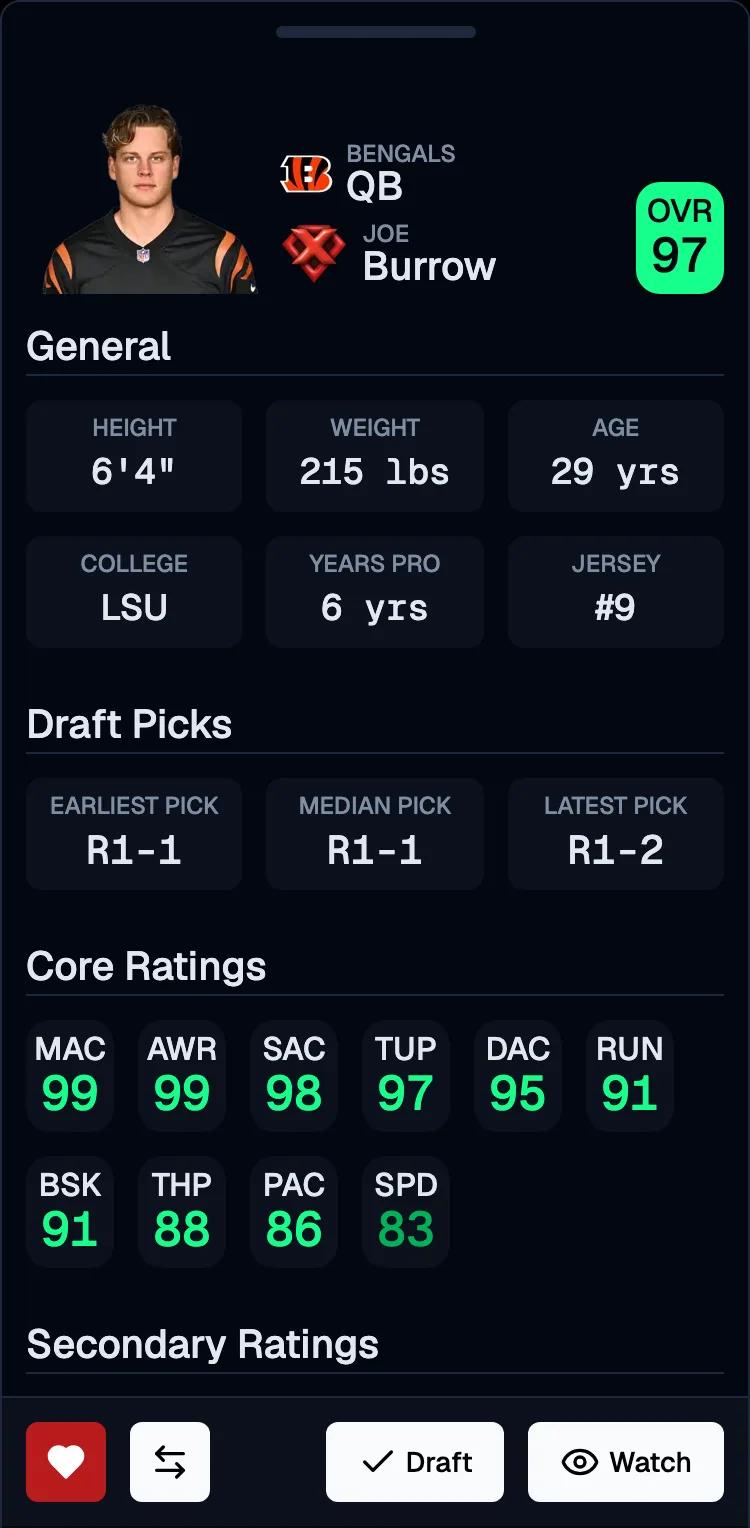
  • Consider Draft Rounds: Use earliest and average pick data. Aim to select a player before their earliest pick; you can sometimes "reach" if your pick falls after the earliest but before the average pick.
  • Track Multiple Options: Have 2-3 players per depth chart position on your watchlist (e.g., multiple WR1 and WR2 candidates so you're covered if your top target goes early)
  • Update Regularly: Remove players who get drafted or no longer fit your strategy or collapse the player card if you want to keep them on your watchlist for future reference

Managing Your Watchlist

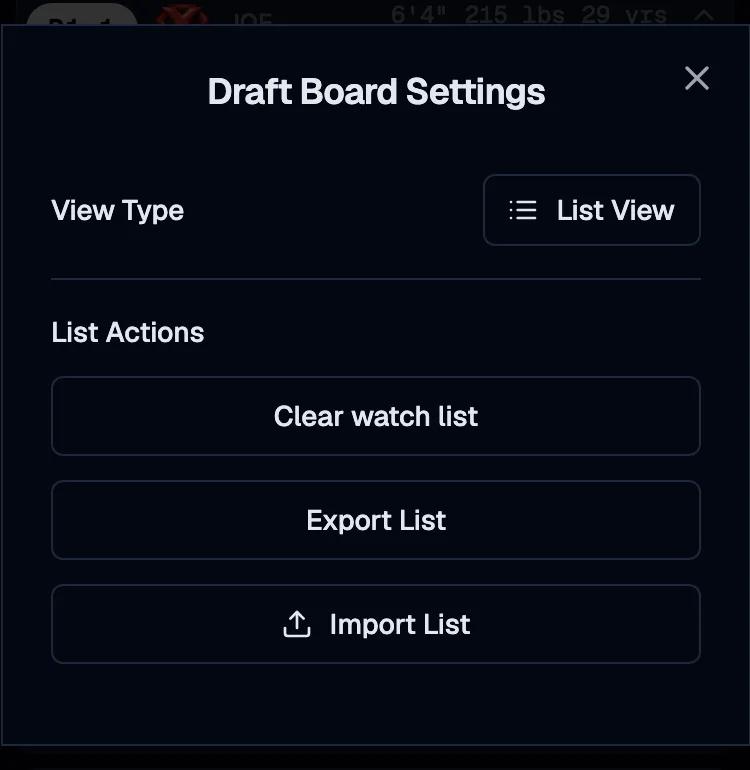
Your watchlist is the heart of your draft preparation. Madden Tools offers two powerful views to help you organize and analyze your potential picks. To change the view, when in the watchlist page, click on the gear icon in the top right corner and select the view you want.

How to get to the watchlist settings
How to change the watchlist view

List View

The list view is the default setting and looks like the draftboard you see when you first open the app. This view is perfect for seeing all players in draft round order or the sort order of your choice.

Depth Chart View

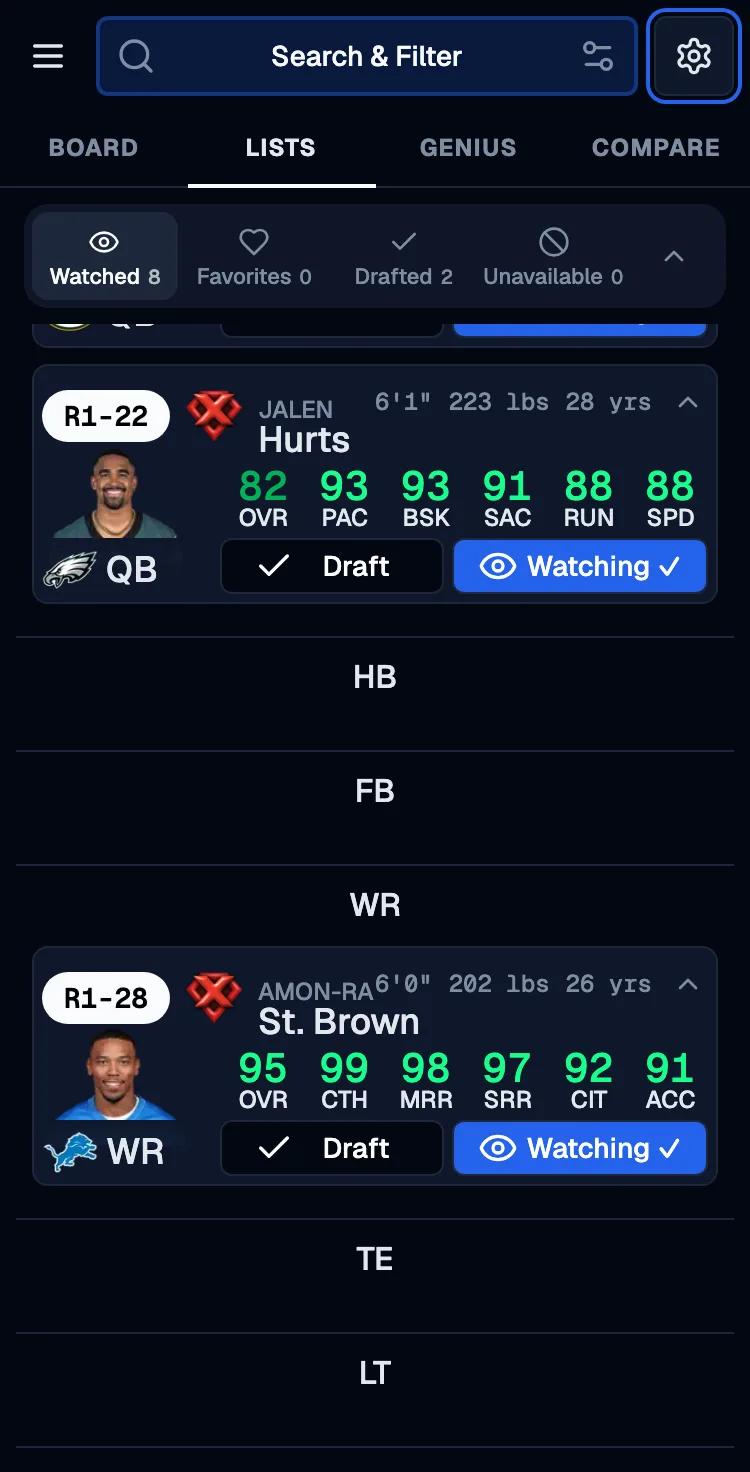
The depth chart view organizes your watchlist by position, showing how players would fit into your team's lineup. This view helps you visualize your potential roster and identify gaps.

Depth chart showing players organized by position with starter/backup designations

Watchlist Management Features

  • Sorting Options: Sort by position, overall rating, draft round, or any attribute you want
  • Filtering: Filter by position, team, or other criteria
  • Export: Export your watchlist for offline reference (elite and higher tiers only)

Draft Board Views

The Draft Board also includes both a List View and a Depth Chart View so you can review your drafted roster during and after the draft. This is especially useful because in Madden you can't see who you've drafted after each pick.

  • List View: See all drafted players in the order they were picked or sorted by the column of your choice
  • Depth Chart View: Visualize your roster by position to spot gaps and overlaps as the draft progresses
Draft Board list and depth chart views showing drafted players and lineup fit

Understanding the Draft Button

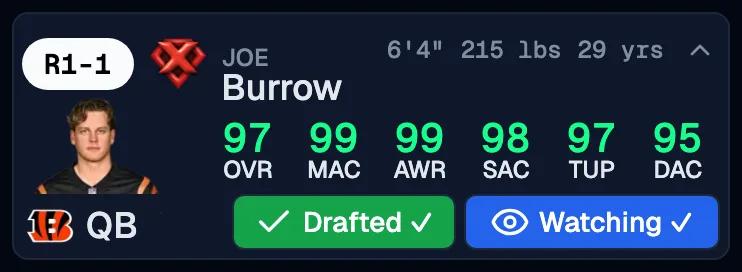
The draft button on player cards shows crucial information about who has drafted each player and helps you track player availability throughout the draft process.

Draft Button States

  • Draft: Player hasn't been drafted yet - you can still select them
  • Drafted: Button is highlighted green. Player has been drafted by YOU
Examples of draft button states showing available vs drafted players

Managing Drafted Players

When players get drafted by other teams, you have two main options:

Option 1: Remove from Watchlist

Click the watch button again to remove the player from your watchlist. This cleans up your list and focuses on available players.

Option 2: Minimize Player Card

Use the minimize button to collapse the player card while keeping them on your watchlist. This helps you differentiate between players you're interested in drafting and players that are already drafted.

Player card showing minimize button and remove options for unavailable players

Advanced Features and Strategies

Madden Tools offers several advanced features to enhance your draft experience and improve your strategic decision-making.

Draft Genius Integration

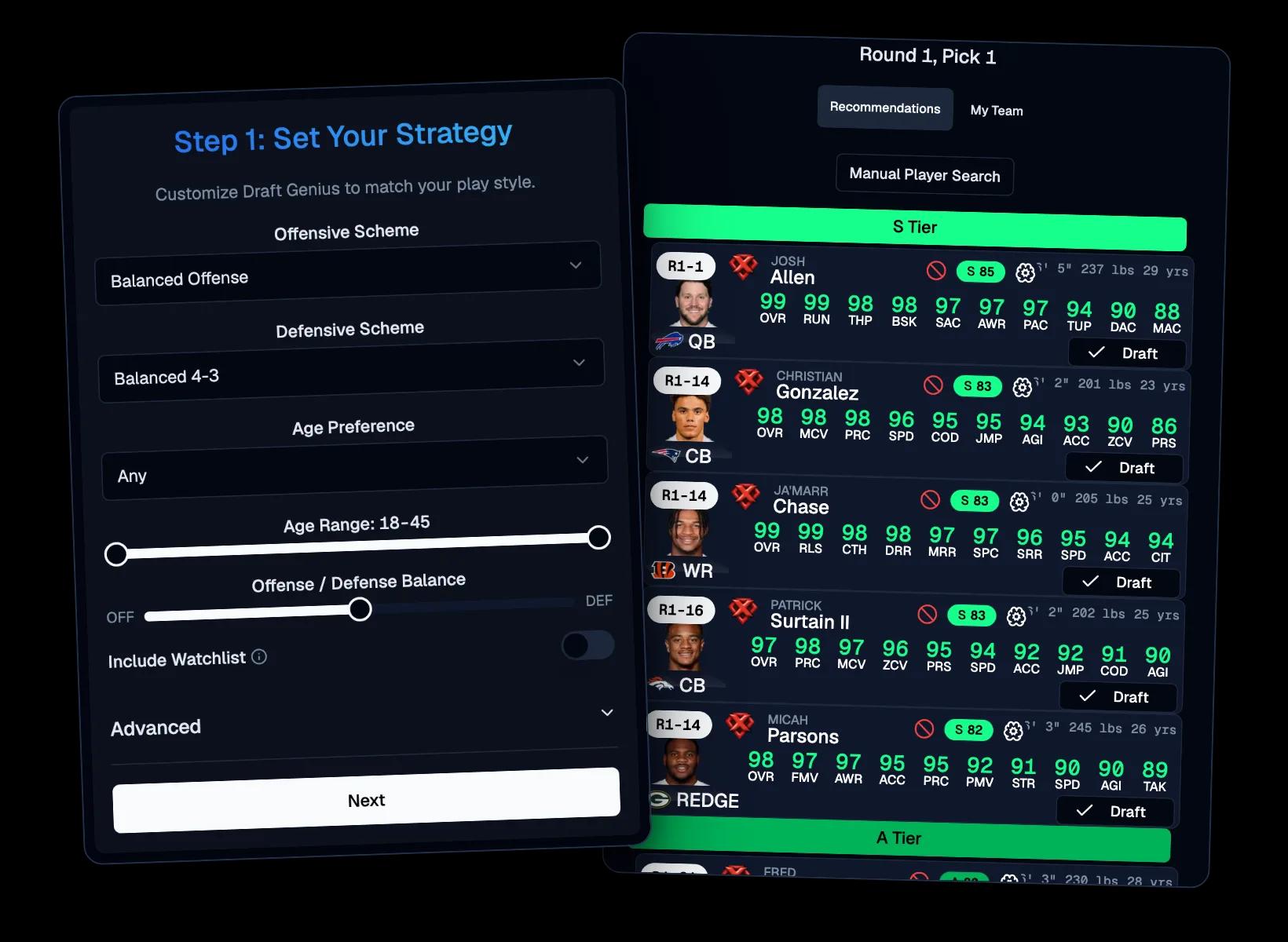
For the ultimate draft experience, upgrade to access Draft Genius, our personalized draft assistant that provides intelligent recommendations based on your favorite schemes, available players, and optimal draft strategy.

Draft Genius preview showing personalized draft recommendations
Draft Genius live assistant highlighting picks during the draft

Draft Genius is available in the Elite and Complete tiers.

Comprehensive Guides

Access our library of expert guides covering everything from position-specific strategies to advanced draft techniques. These guides are regularly updated with the latest Madden NFL roster updates.

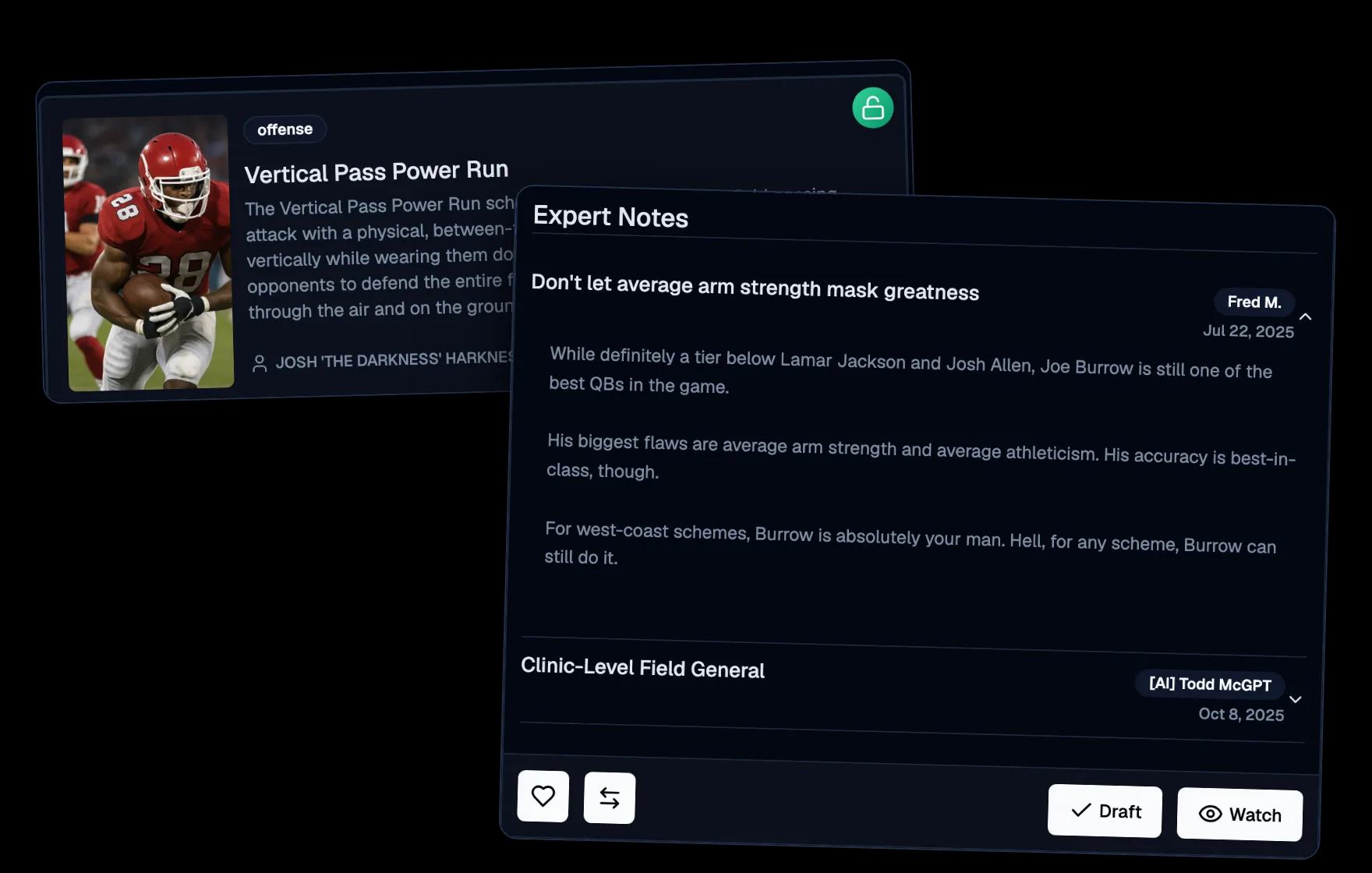
Preview of Madden Tools guides showing expert draft strategy content

Analytics and Insights

Use our analytics pages to dive deep into player trends, position distributions, and draft patterns. This data helps you make informed decisions and identify value picks.

Dashboard showing Draft Genius, analytics, and guides integration

Best Practices for Draft Success

Follow these proven strategies to maximize your success with Madden Tools and build championship teams.

Pre-Draft Preparation

  • Build Your Watchlist Early: Add 20-30 players across all positions before the draft starts
  • Study Player Trends: Use analytics to understand where players typically get drafted
  • Plan Your Strategy: Decide on your overall team philosophy (offense-heavy, defense-heavy, balanced)
  • Prepare for Scenarios: Have backup plans for different draft positions and situations. You can use the Top 10 Rounds guide to plan your strategy for the early rounds.

During the Draft

  • Stay Updated: Regularly refresh your watchlist to reflect current availability
  • Be Flexible: Adapt your strategy based on how the draft unfolds
  • Track Competitors: Monitor what other teams are drafting to identify patterns
  • Use Time Wisely: Take advantage of draft pauses to reassess your options

Post-Draft Analysis

  • Review Your Picks: Analyze your draft performance and identify areas for improvement
  • Study the Results: Look at how other teams built their rosters for future reference
  • Update Strategies: Use insights from the draft to improve your future preparation

Getting Help and Support

If you need assistance with Madden Tools or have questions about specific features, we're here to help.

Resources Available

  • Comprehensive Guides: Browse our extensive guide library for detailed tutorials
  • Draft Genius: Upgrade to access AI-powered draft assistance and recommendations
  • Analytics Tools: Use our analytics pages for data-driven insights
  • Community Support: Connect with other Madden Tools users for tips and strategies

Upgrade Your Experience

Unlock the full potential of Madden Tools with our premium features. Upgrade today to access Draft Genius, advanced analytics, and exclusive guides that will take your draft game to the next level.

Conclusion

Madden Tools is designed to give you every advantage in your Madden NFL fantasy drafts. By mastering the watchlist, understanding the draft button, and utilizing all available features, you'll be able to build championship-caliber teams consistently.

Remember, success in fantasy drafts comes from preparation, strategy, and adaptability. Use Madden Tools to prepare thoroughly, execute your strategy effectively, and adapt when necessary. With the right approach, you'll dominate your drafts and build the team everyone fears.

Ready to take your draft game to the next level? Start by exploring our draft board, building your watchlist, and checking out our expert guides for advanced strategies.